Open a Video Editor node’s same-window compositor, discover its live native schemas, read and mutate the revisioned document, review evidence, and close it without starting Flowmo AI.
Where: External MCP host → flowgen_open_compositor.
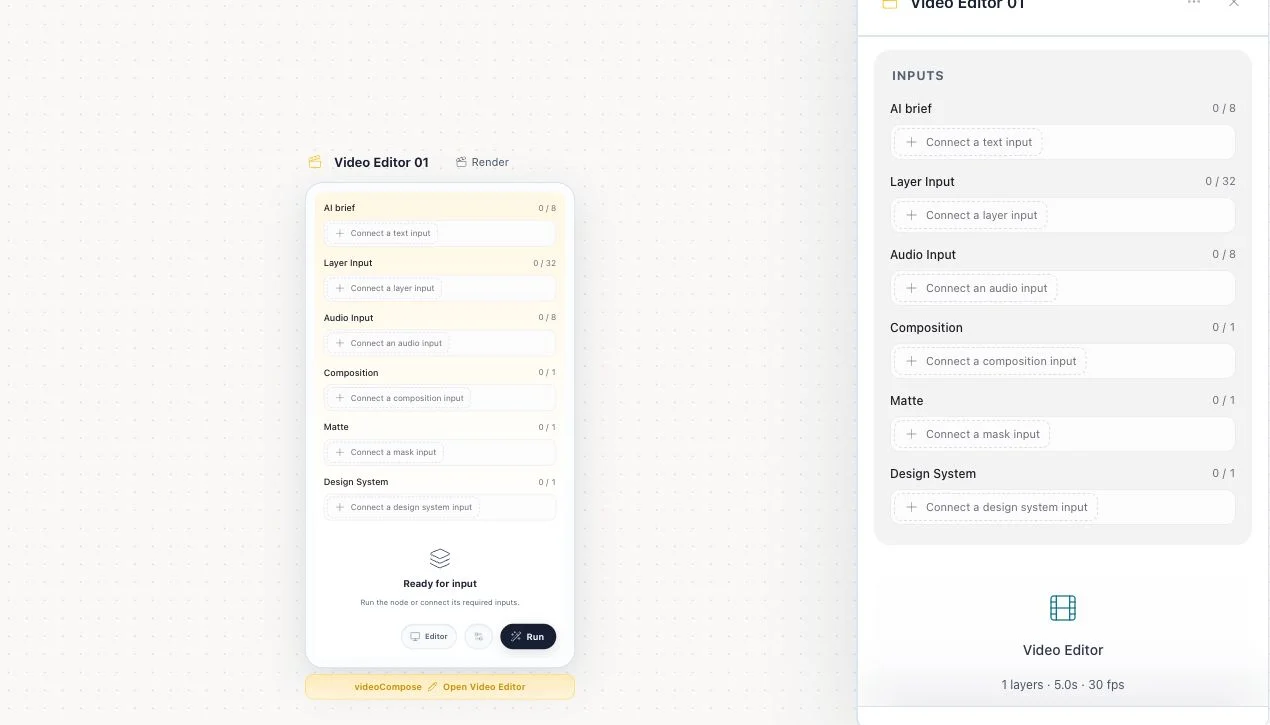
Key ideas
- The MCP host is the agent: Claude, Codex, or another MCP client keeps reasoning. Flowgen exposes the exact deterministic tools used by the native Video AI; invoking them does not proxy the prompt into the in-app assistant.
- Video Editor is not surface=document: videoCompose is a same-window React compositor. Its native document cannot be read through the iframe bridge, f0_get_html, or the ordinary editor surface.
- Read/revision/write is the safe loop: Open returns live declarations. Read returns stable IDs and revision. Mutations use a unique operationId, current expectedRevision, and useful preconditions so stale writes fail instead of clobbering a collaborator.
Steps
- Open the intended Flowgen project. A blank-canvas Animation & motion or Reel & video edit start creates a videoCompose node; in an existing flow, the manual path is Add → Video → Essentials → Video Editor. These starts seed an unsent brief, not an AI turn.
- Use flowgen_describe_flow or flowgen_get_flow_state and find the node whose type is videoCompose.
- Call flowgen_open_compositor with node_id and wait_ms if needed. Confirm surface:"compositor", documentId, and ready:true.
- Inspect the returned tools array; do not guess a schema or assume an older static tool list.
- Call flowgen_invoke_compositor_tool with read_compositor or read_compositor_project and arguments_json:"{}" (or the exact bounded read arguments).
- Use returned composition/layer/asset/control IDs and current revision. For focused reads, prefer read_compositor_properties.
- Invoke apply_compositor_batch, import_compositor_motion, focused text/design-system tools, or scene/world tools with exact JSON, unique operationId, expectedRevision, and preconditions.
- After each mutation, read again before building on it. Use review_compositor_frames and review_compositor_motion; for 3D continuous motion also use render_compositor_3d_playblast.
- Paid media tools retain catalog, quote, and exact authorization requirements. Never treat a quote or user balance as approval.
- Call flowgen_close_compositor when finished, then read the Flowgen node and downstream render state.
Lifecycle tools
- flowgen_open_compositor — opens and returns the live schemas
- flowgen_invoke_compositor_tool — invokes one exact native tool with arguments_json
- flowgen_get_open_compositor — verifies open node/document/readiness/tool names
- flowgen_close_compositor — closes the same-window surface
- flowgen_open_node_editor / surface=document — intentionally wrong for videoCompose
Core native tools
- read_compositor and apply_compositor_batch
- import_compositor_motion
- read_compositor_project / place project asset / duplicate composition
- read_compositor_properties / revise text / revise typography / apply design token
- read/write scene, set scene control, set 3D World membership
- stock/media catalog/quote/generate/place, captions, voices, audio inspection
- frame review, motion review, and 3D playblast
Tips
- Keep operations small enough that a stale revision can be retried after a fresh read.
- Use stable IDs from reads, never names as identity or invented layer/control IDs.
Limitations and important notes
- Only the currently open Video Editor node is callable through the bridge.
- Closing reports that native edits used the node persistence path; project media must still be made durable when the card warns about transient assets.
- Frame review is not a substitute for continuous playback or audio acceptance.
Troubleshooting
flowgen_open_node_editor refuses Video Editor.
Expected: videoCompose is not an iframe. Call flowgen_open_compositor.
A write reports a stale revision or failed precondition.
Read again, reconcile the collaborator/upstream change, and submit a new operationId against the new revision.
The requested native tool is unknown.
Reopen or get the current surface and use an exact tool name/schema from its live declarations.